3. Flash Images
❶ Open RKDevTool\RKDevTool_Release\RKDevTool.exe in Windows.
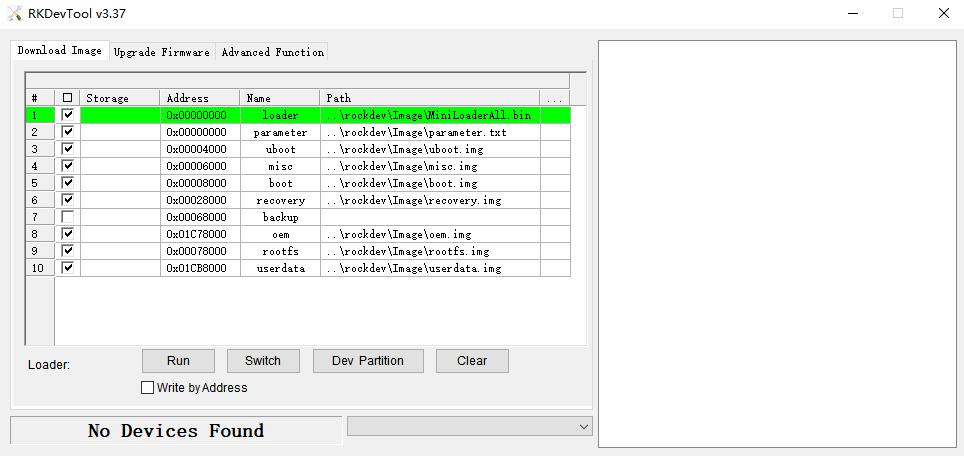
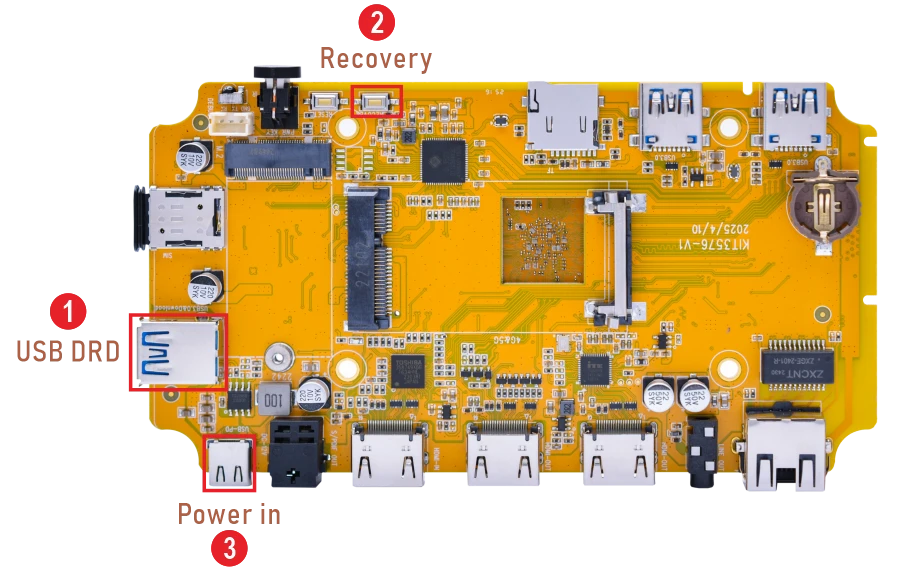
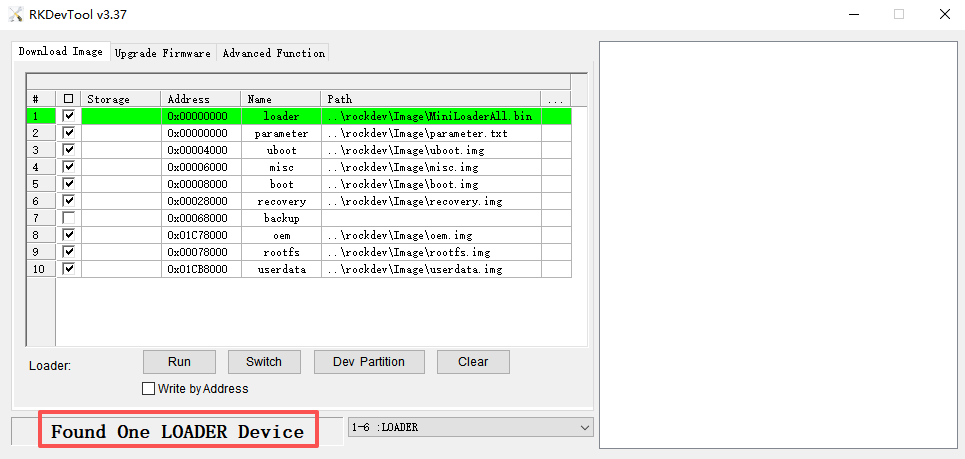
❷ Connect PC and development board with USB Type-A cable, keep pressing the Recovery key and power the board until the windows PC shows Found One LOADER Device, then release the Recovery key.
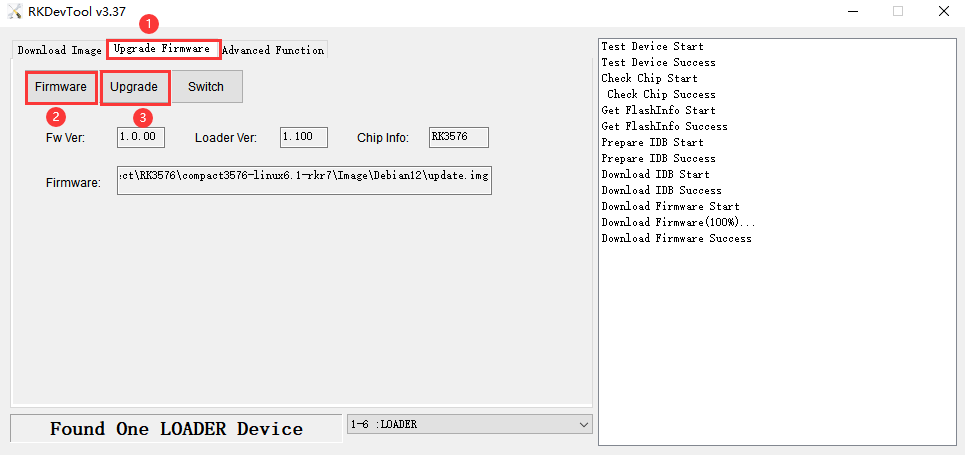
❸ Click Upgrade Firmware -> Firmware, select
update.img. Click Upgrade to flash.
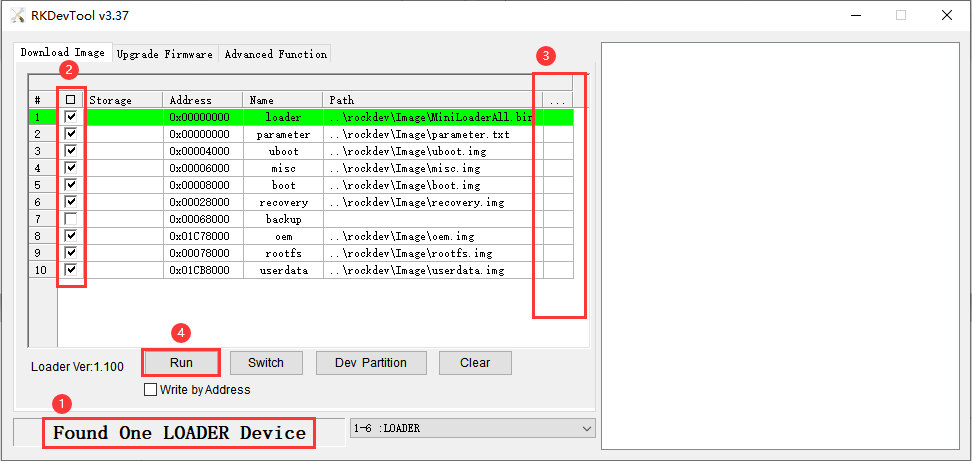
User can also update the firmware separately.
❶ Enter Loader mode.
❷ Select the checkbox on the left.
❸ Click the column on the right side for the path of the file want to flash.
❹ Click Run to flash the image.
Note
Without burning the file parameter.txt, please check the Write by Address checkbox, otherwise the flashing may fail with the error Image is larger than partition size