1. Upgrade Mode
- The Idea1126B-P IPC supports Normal mode and Upgrade mode.
Normal mode: The normal startup process.
Upgrade mode: MaskRom mode.
1.1 Hardware to MaskRom
❶ Connect PC and development board with USB-A cable.
❷ Short circuit EMMC_D0 and GND.
Warning
Please be careful to avoid touching the components to cause short circuit and damage the development board.
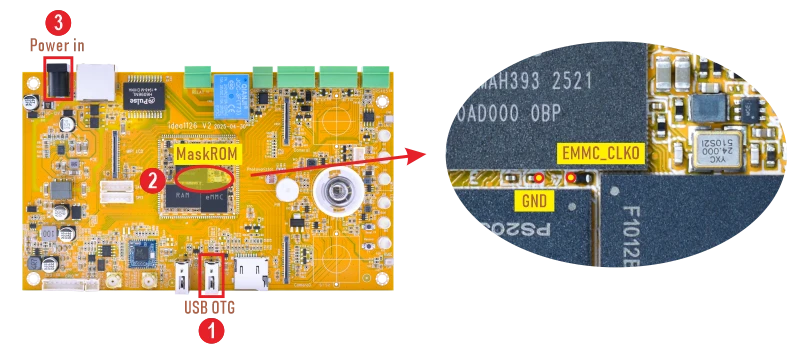
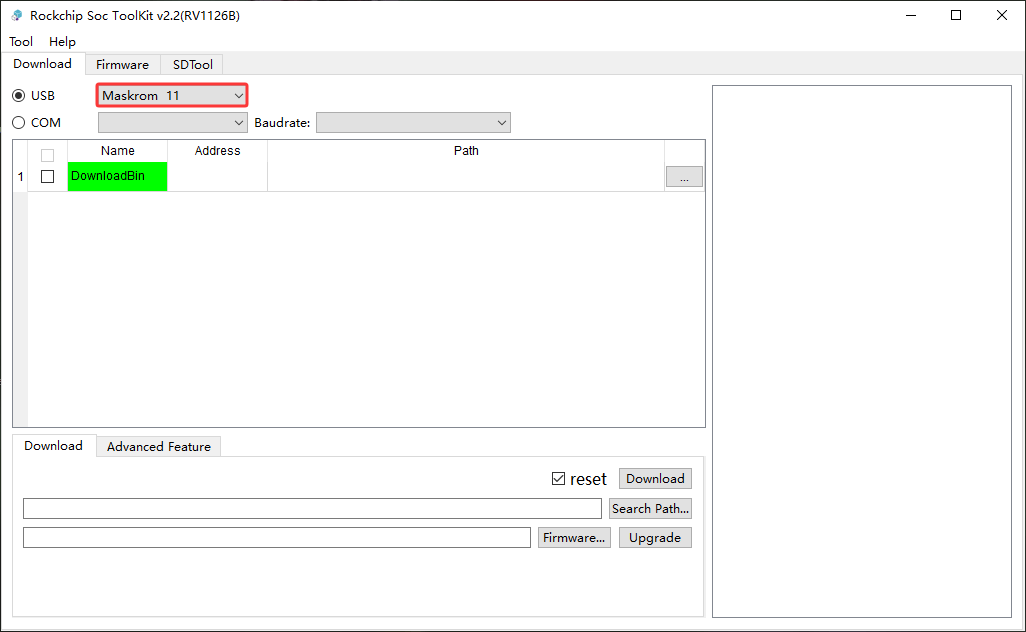
❸ Power on. Release the two contacts when the flashing tool shows Maskrom.
1.2 Shortcut to MaskRom
❶ Connect PC and development board with USB-A cable.
❷ Open the serial debug terminal.
❸ Press and hold Ctrl + B in the serial terminal, then power on the board. Release Ctrl + B when the flashing tool shows Maskrom.